
People: See how you match
Add anyone and see how their chart lines up with yours. They're saved to your account, so you can come back anytime. Then pick dates together from both your Power Days.
-
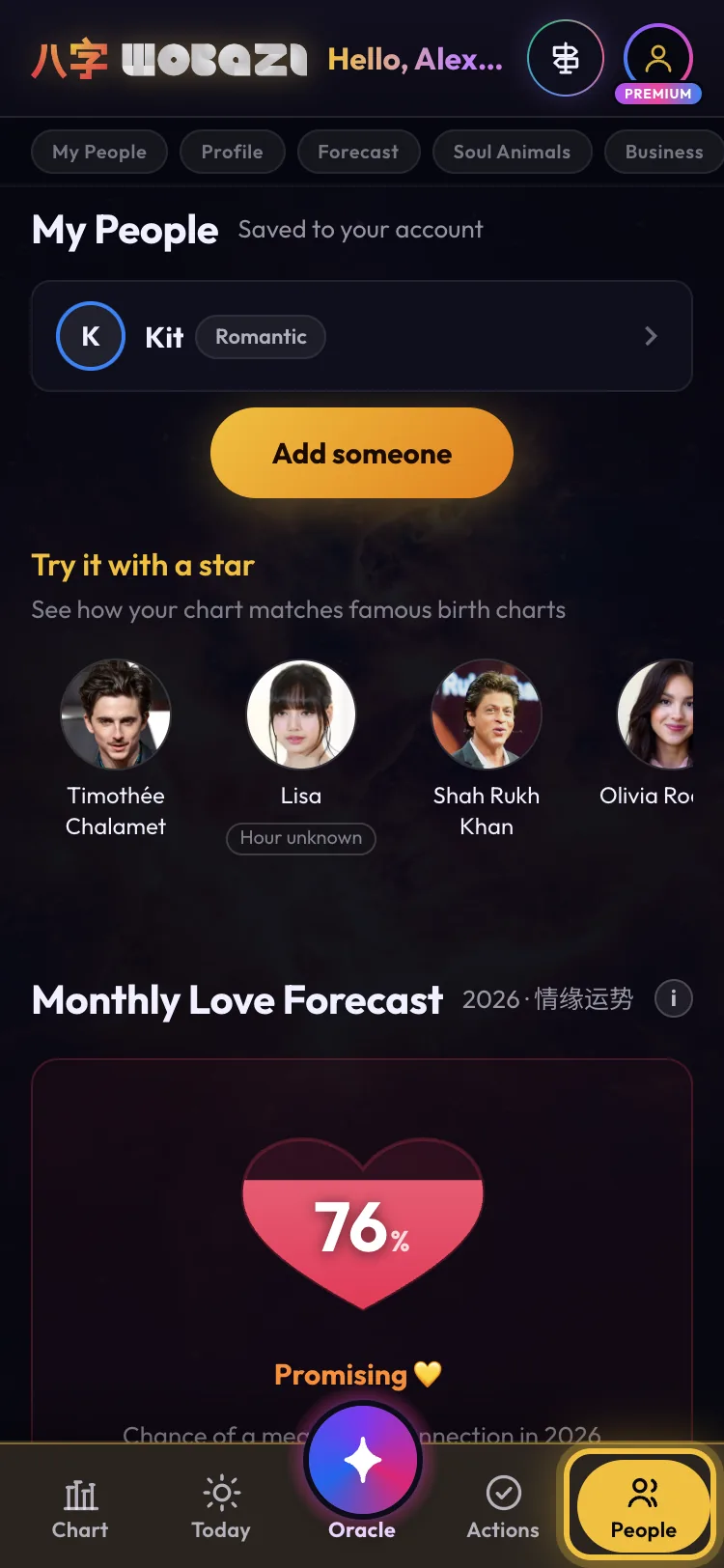
Step 1: Tap People
People is the last icon in the bottom bar. My People, at the top, lists everyone you've added and saves them to your account. Below it you can try a match with a famous star.
-
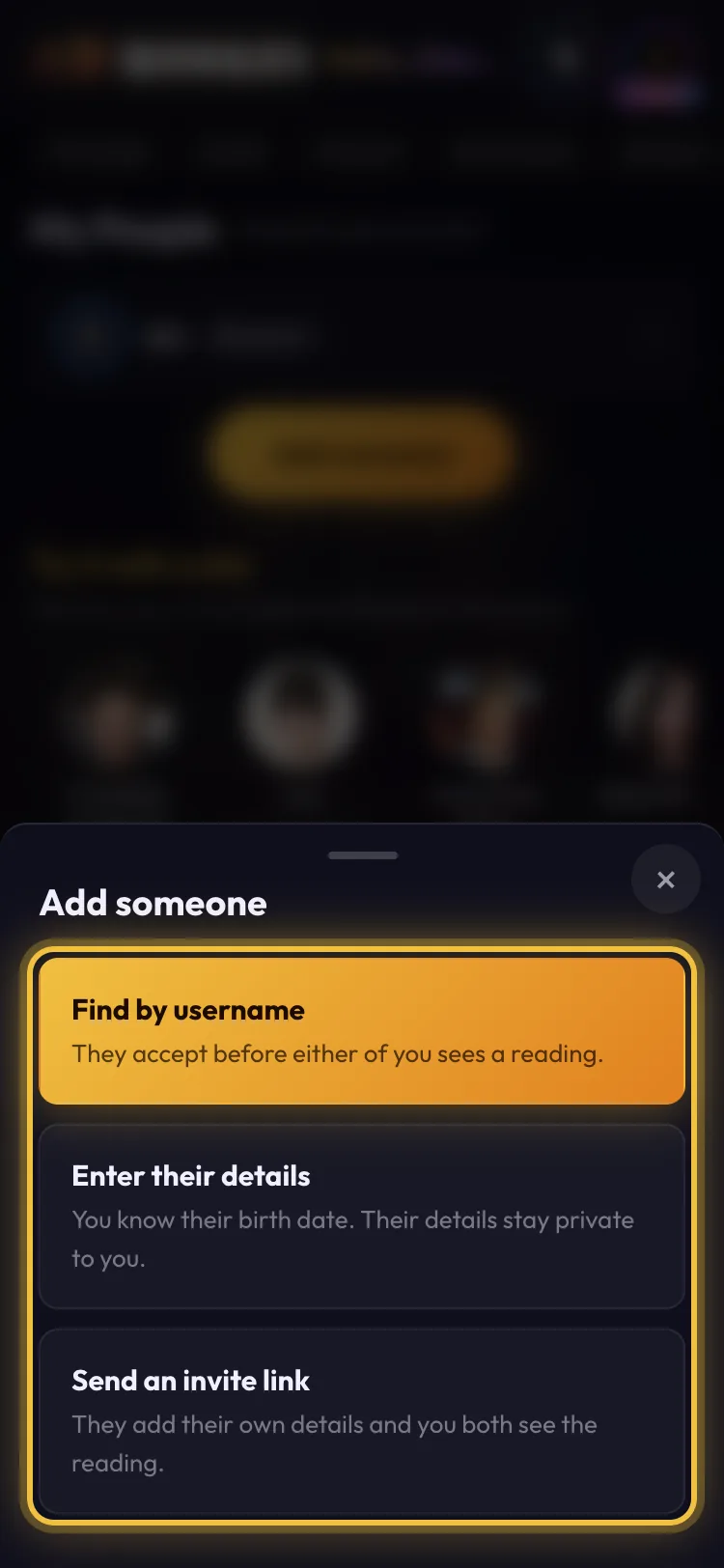
Step 2: Add someone
Tap Add someone, then choose: Find by username if they're on Wobazi (they accept before either of you sees the reading), Enter their details if you know their birthday, or Send an invite link so they add their own.
Free: 3 people. Stars don't count.
-
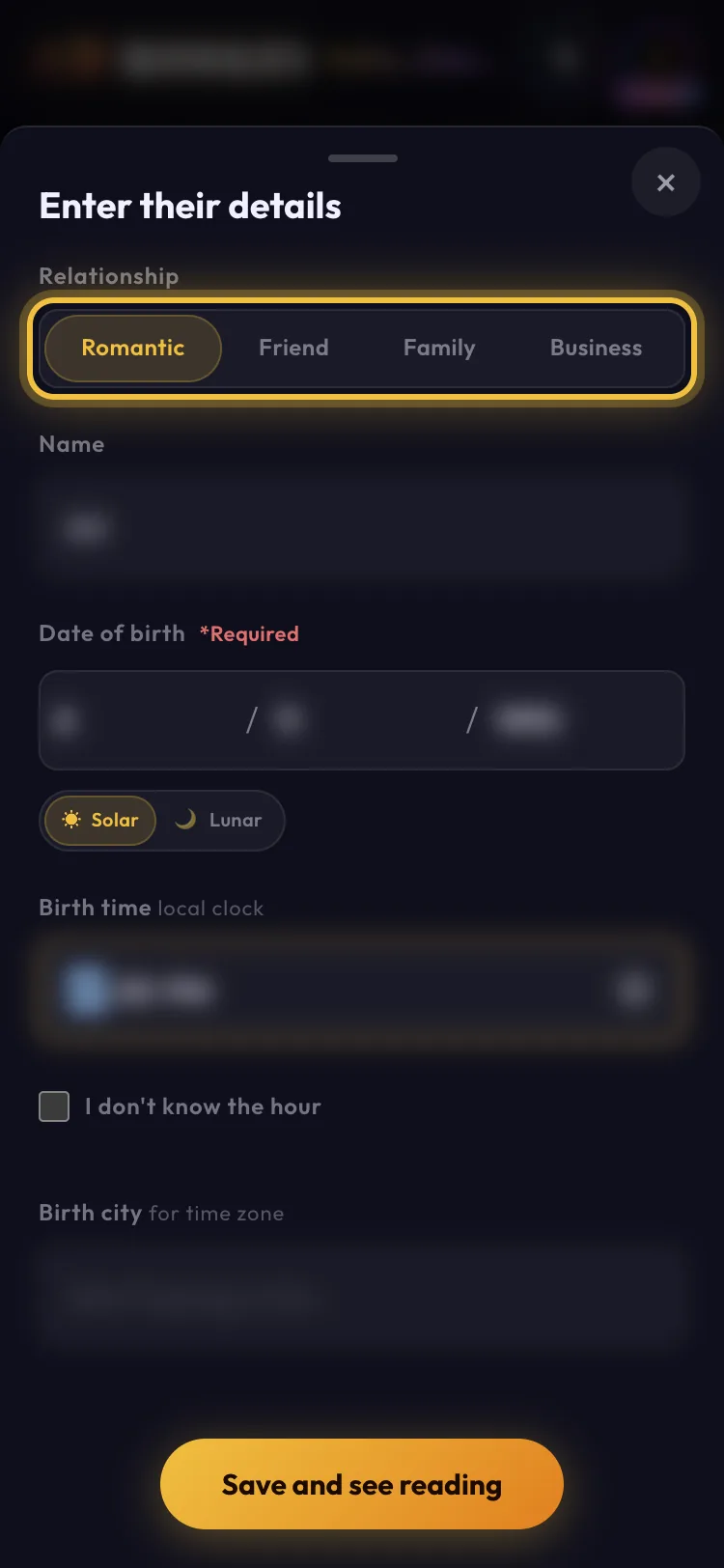
Step 3: Pick the vibe, add the date
Pick Romantic, Friend, Family or Business: each gets its own reading. Add a name and their birth date (solar or lunar), plus their birth time and city if you know them, then tap Save and see reading. Only you see their details.
-
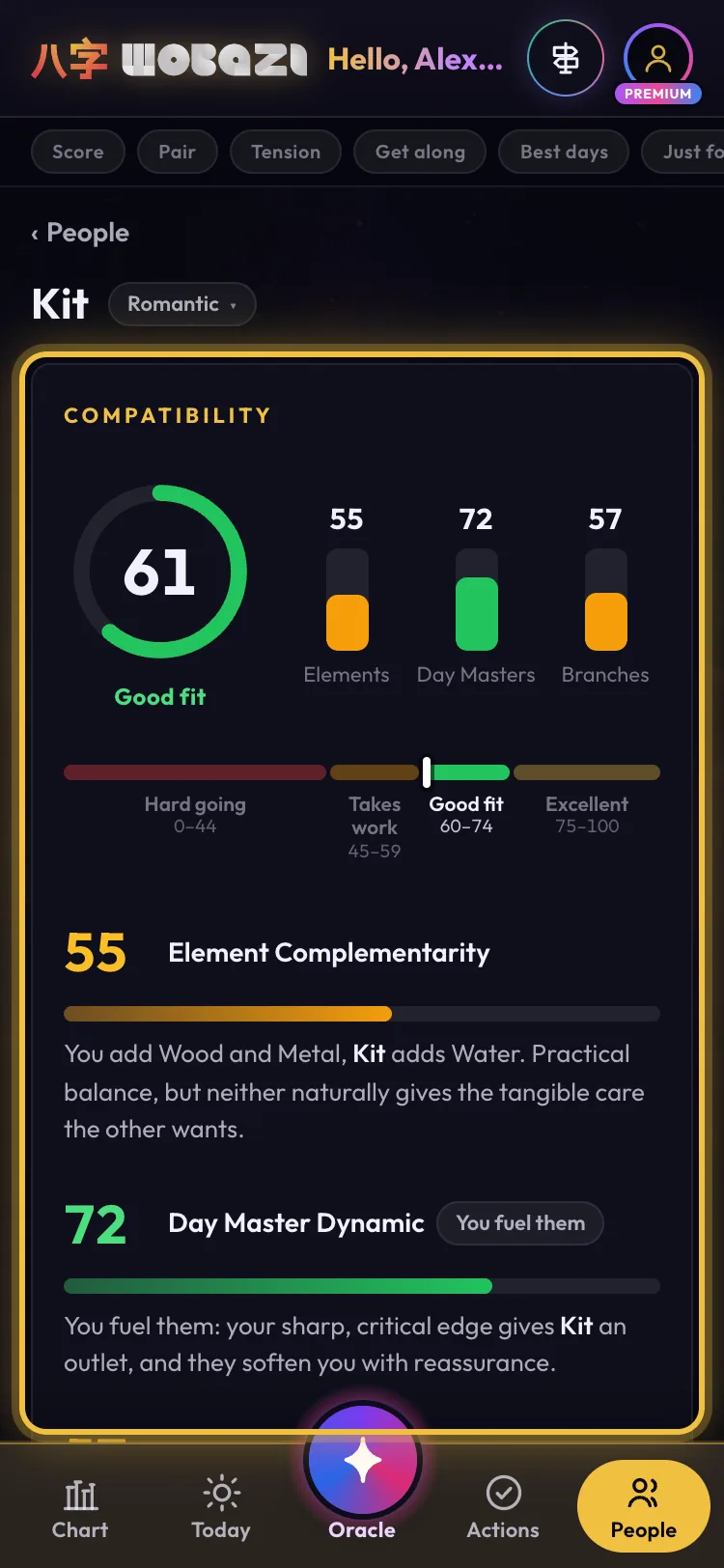
Step 4: Read your score
The ring is your overall match, built from three scores: Elements (how your elements fill each other's gaps), Day Masters (how your core selves interact) and Branches (harmony or clash between your signs). Each one explains why.
-
Step 5: Dig into the details
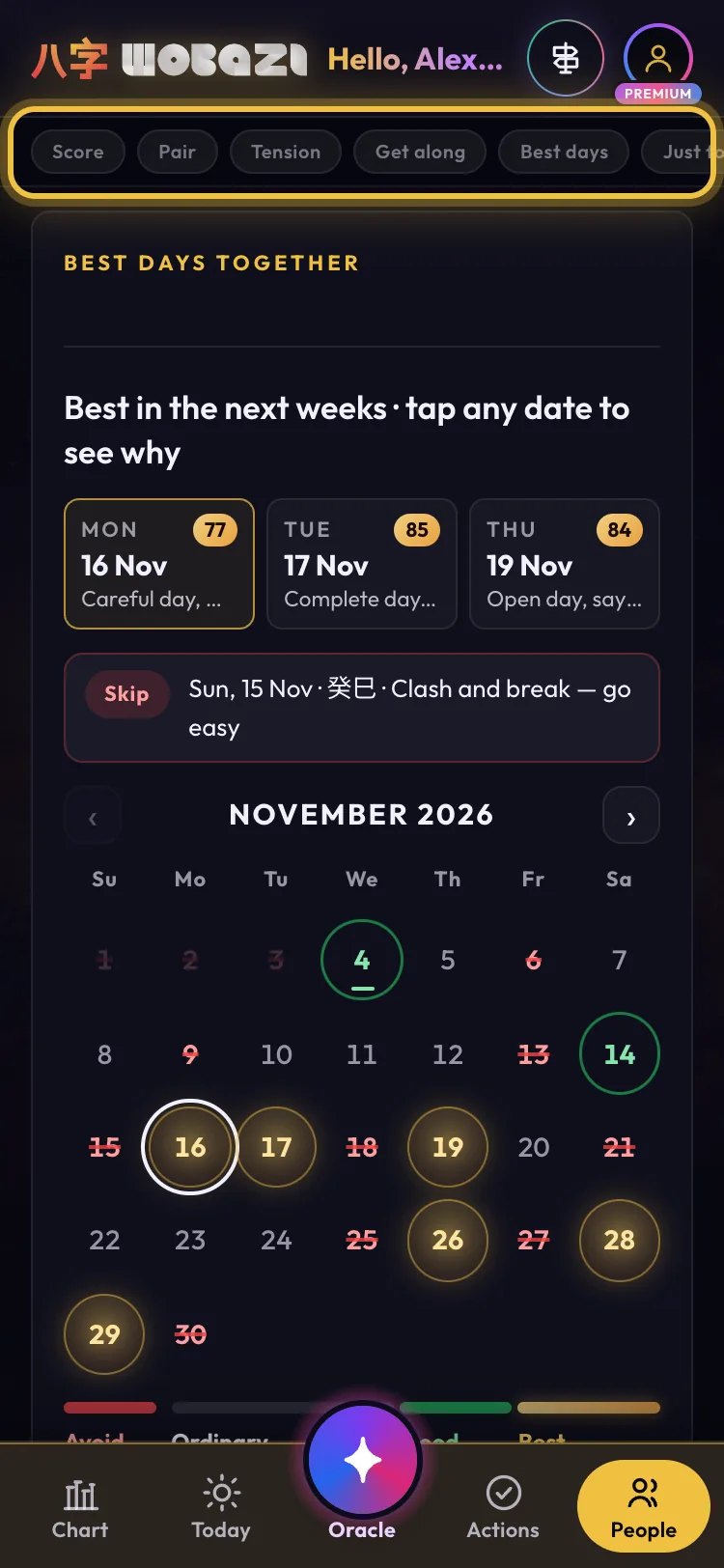
Use the chips at the top to jump around: Pair (your pair type), Tension (where you clash and why), Get along (Working together for business), Best days (dates that suit you both) and Just for fun.


What each plan gets
- Guest
- Sign in to save people
- Free
- 3 people, full readings
- Premium
- Unlimited people
Words on this page
- Day Master 日主
- The one character in your chart that's you.
- Branches 地支
- The animal signs in your chart. Some pairs get on, some clash.
Questions
Will they know I added them?
Not if you enter their details. A username or invite link needs their OK first.
Don't know their birth time?
Tick "I don't know the hour". It still works.