
Power Days: Pick your best day
Wobazi tells you the best day and hour for what you're planning, from signing a contract to a first date. Every date comes with its reasons, so you can make the call.
-
Step 1: Tap Actions
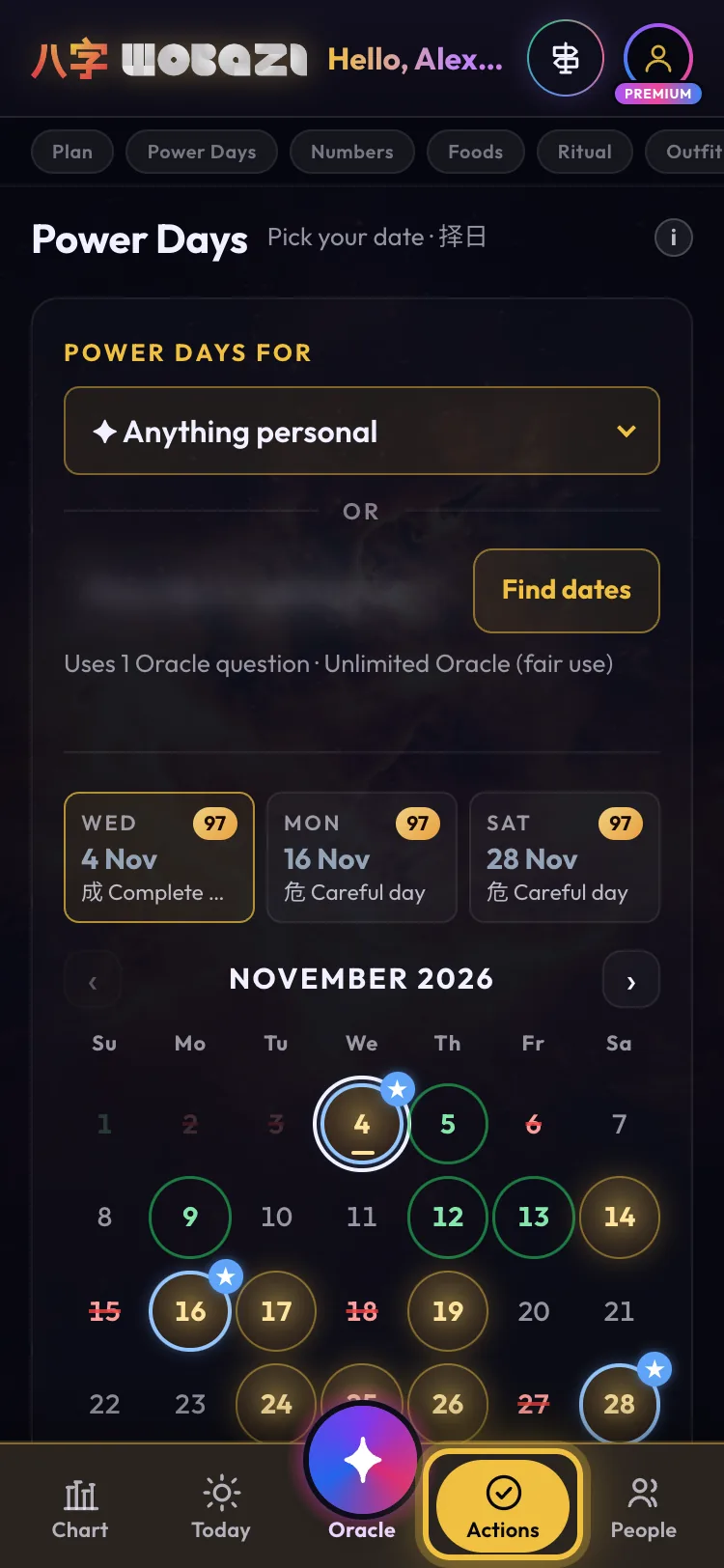
Open the Actions tab. Power Days is right under Today's Action Plan: a month calendar where every date is scored against your own chart.
-
Step 2: Pick what you're planning
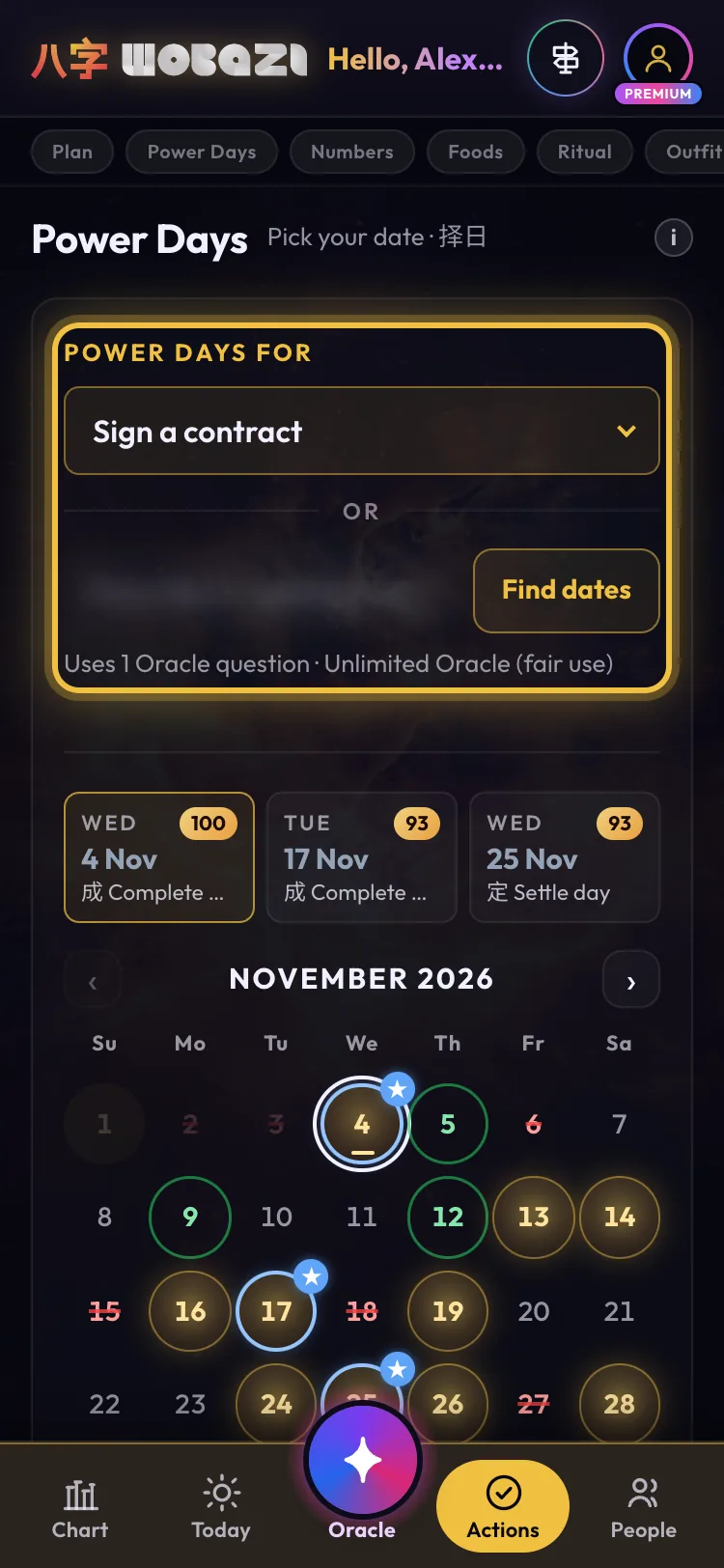
Choose what you're planning: business, career, love and family, home and travel or wellbeing, from signing a contract or a first date to moving house. Or type your own and tap Find dates.
Typing your own uses 1 Oracle question
-
Step 3: Gold is go
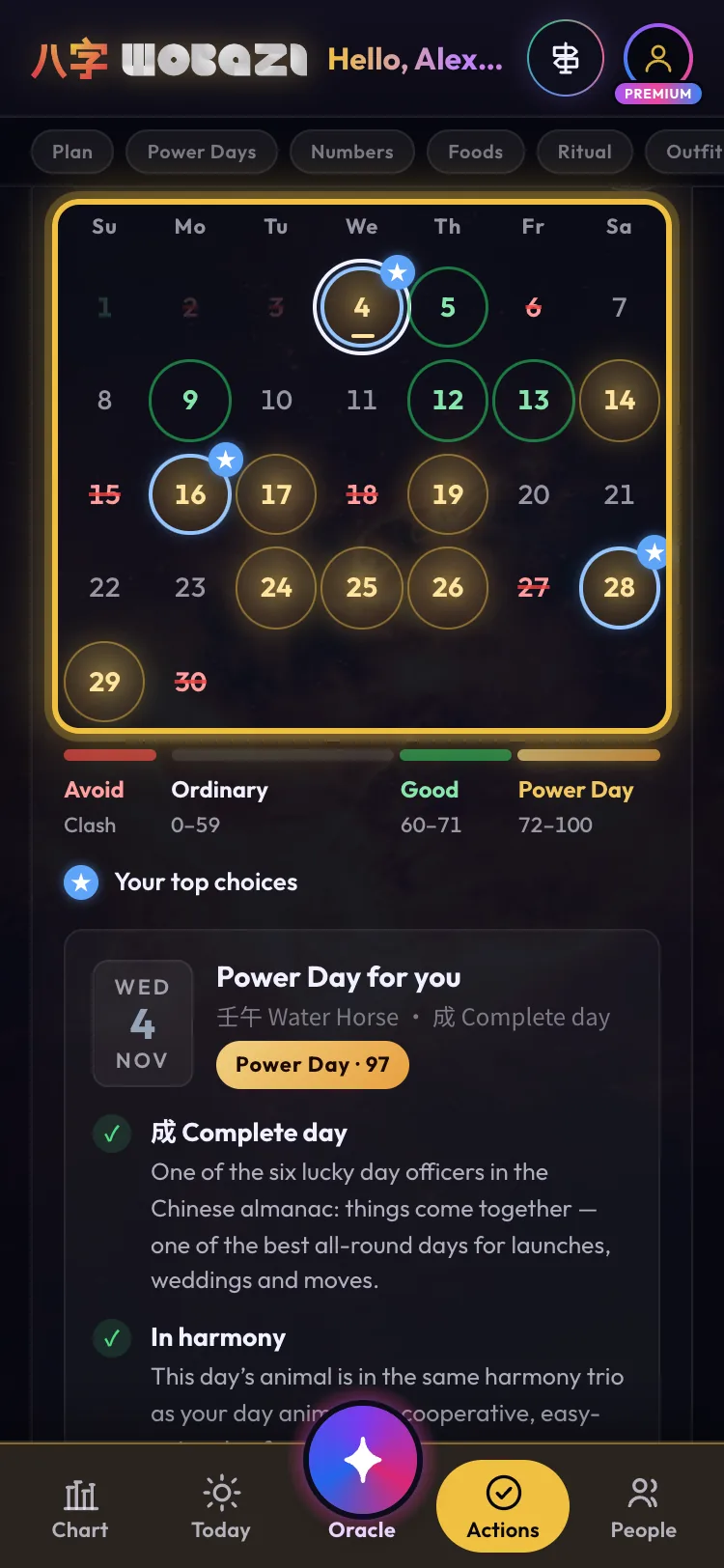
Gold is a Power Day (72+), a green ring is Good (60–71), plain is Ordinary, and red struck through is Avoid: it clashes with your chart. Your top three get a blue star and sit above the calendar.
Free: 7 days back, 7 days ahead
-
Step 4: Tap a date for the why
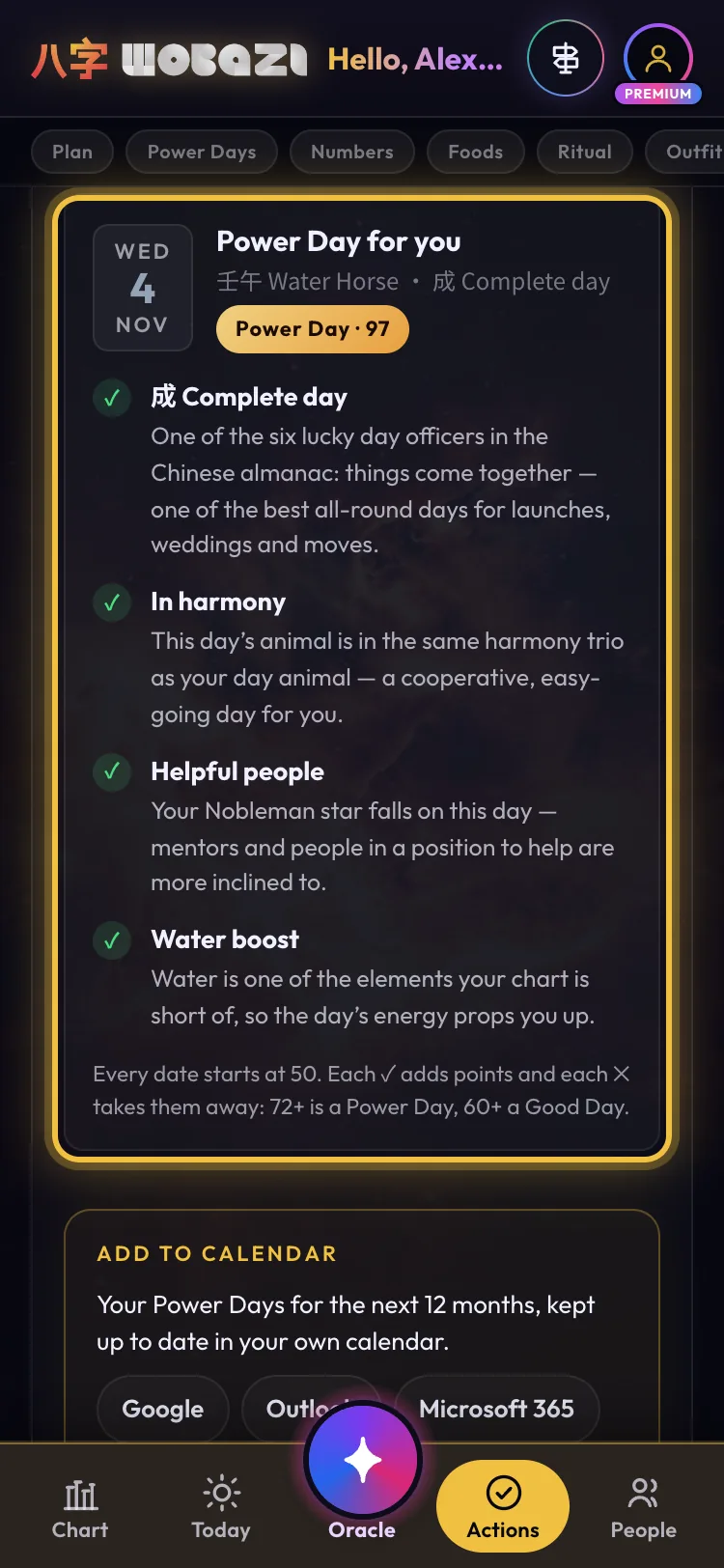
Tap any date to see why. Every day starts at 50: each ✓ adds points, like a day that suits your plan or your Nobleman day, and each ✕ takes them away. 72+ is a Power Day, 60+ a Good Day.
-
Step 5: Then pick the hour
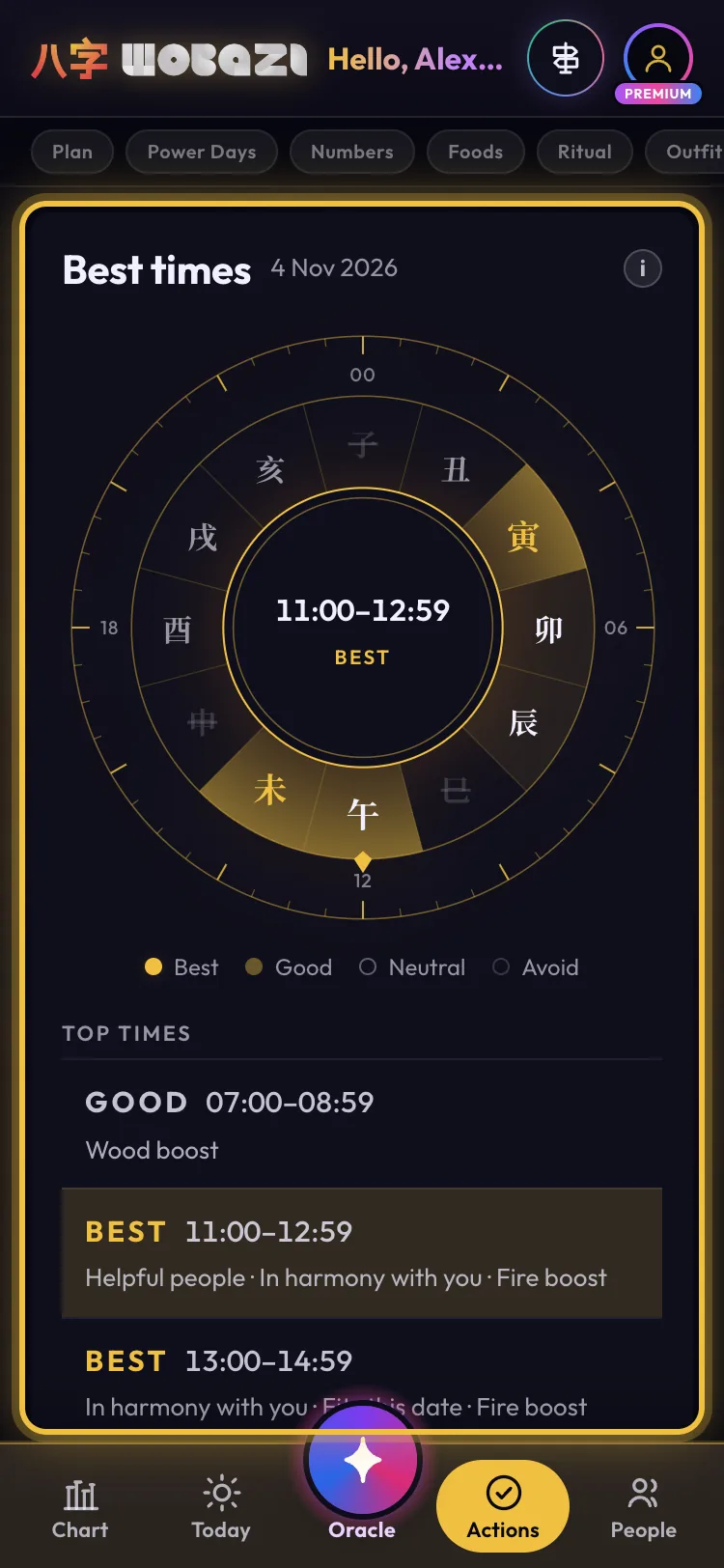
Once you have the day, check Best times for the hour: gold blocks are your best two-hour windows. A gold day plus a gold hour is the strongest timing Wobazi can give you.
-
Step 6: Add them to your calendar
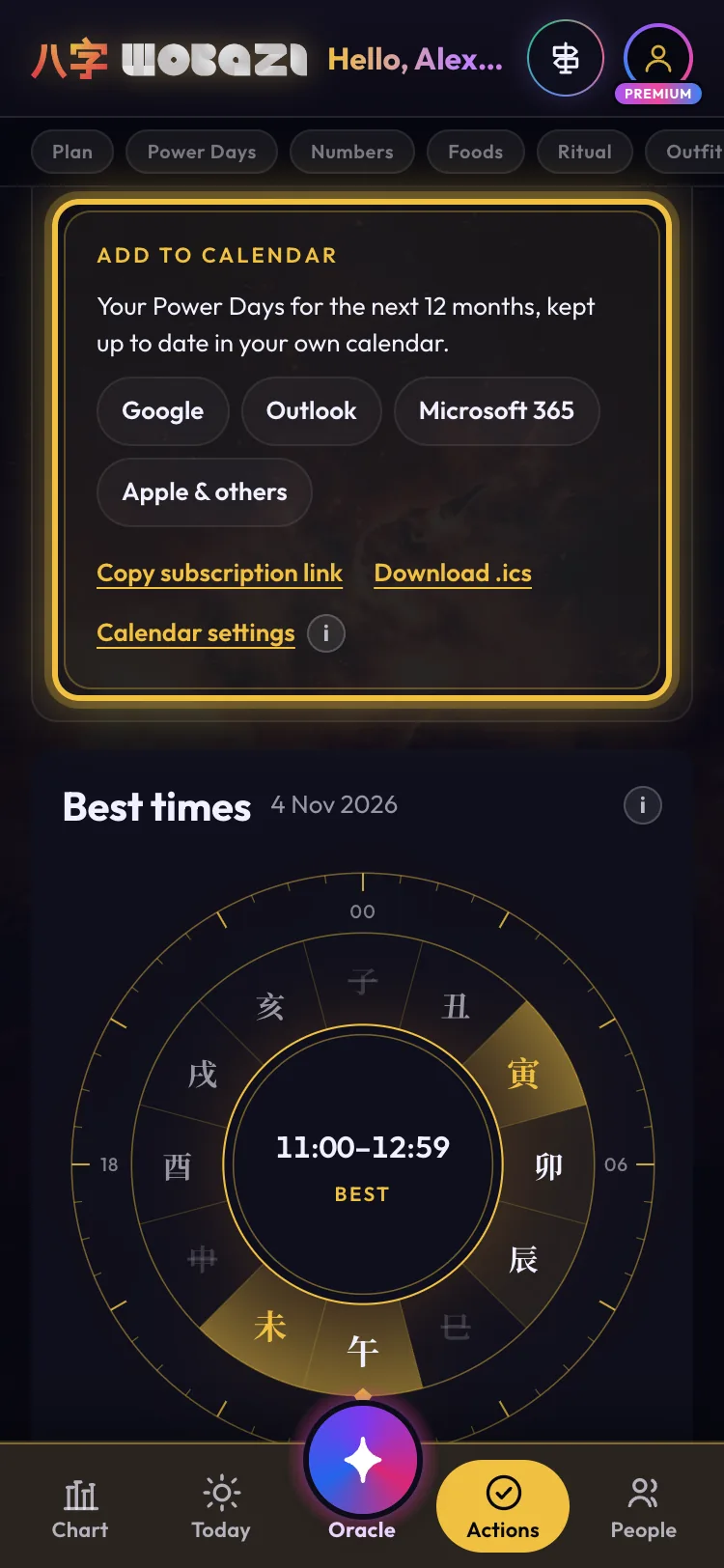
Add to calendar puts your Power Days for the next 12 months into Google, Outlook, Microsoft 365 or Apple Calendar, and keeps them up to date. You can also copy the subscription link or download an .ics file.
Premium


What each plan gets
- Guest
- 7 days back, 7 days ahead
- Free
- Same, plus type your own plan
- Premium
- 12 months + calendar sync
Words on this page
- Clash 冲
- A day whose sign pulls against yours. Always Avoid.
Questions
My date says Avoid. Now what?
Move it to the nearest Good day if you can. If not, tap it: the reasons show what to watch.
Do I need my birth time?
No. Power Days work without it.